Wallet button
The wallet button is available only on mobile devices and allows a customer to open a partner wallet to complete a transaction.
It is used in two scenarios:
- Partner wallets that already have built-in support for the wallet button.
- Crypto-to-crypto and crypto-to-fiat exchanges where the customer can be redirected to a wallet to complete the transaction.
Link generation
A partner can generate a link that automatically pre-fills the transaction details. The following parameters are passed in the link:
fromCurrency— currency ticker to be sent (deposit currency ticker)fromNetwork— network of the deposit currencyamount— deposit amountmemo— extraId, if required (extraId of the deposit pay-in)
Customer flow
1. Exchange initiation
The customer opens Guardarian checkout and selects the currency, amount and payment method.
2. Crypto deposit step (standard flow)
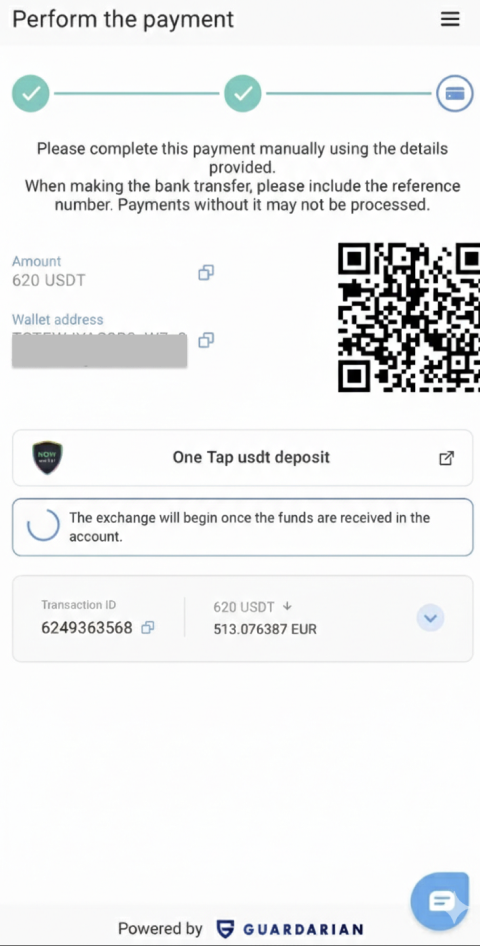
When the customer reaches the step where a manual crypto transfer is required, the flow is:
- the customer copies the wallet address,
- opens their crypto wallet or app,
- pastes the address and amount,
- manually confirms the transaction.
This flow is inconvenient: it requires multiple manual actions and carries a risk of errors (e.g., copying the wrong address or amount).
3. New option — “Send instantly”
A new button appears for the customer, for example “Pay via Wallet”.
When the customer taps it:
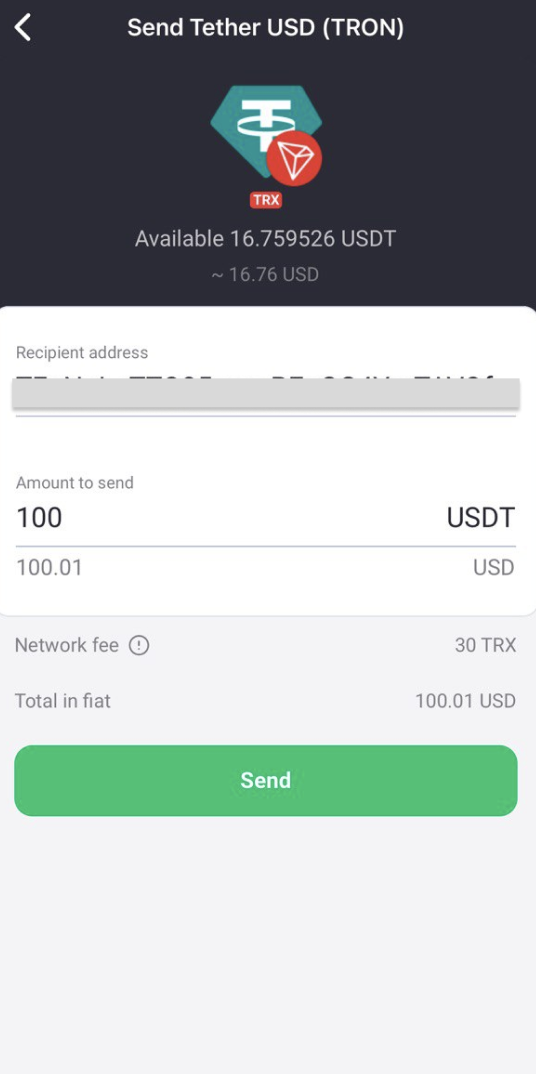
- they are automatically redirected to their wallet or partner app,
- all required data is pre-filled: currency, amount, and destination address.
The customer only needs to confirm the transaction — no copying or manual input.
4. Redirect back
After confirming the transfer, the partner wallet or application can return the customer to Guardarian checkout.
The customer then sees the transaction status, for example:
- “Deposit received”
- “Transaction in progress”
Benefits
- Fewer steps for the customer — no manual copying of address or amount.
- Fewer errors — all data is passed automatically.
- Higher conversion rate — customers are more likely to complete the payment.
- Convenient for partners — full control over the customer flow and the ability to return the customer to the correct point after the crypto deposit.
- Flexible support — any coin on any supported network.
Technical instructions for partners
- After the feature is requested, the Guardarian team customizes the wallet button using the partner logo in SVG format.
- On partner side, implement a link in this format:
https://wallet.example.com/send?....
The link opens an HTTPS domain. The .well-known configuration detects the mobile platform and operating system, then opens the partner app or website.
Required tools
- Endpoint
/send - A
.well-knownendpoint - Universal Links for iOS
- App Links for Android
Required parameters
fromCurrency— the crypto currencyfromNetwork— the crypto networkaddress— the unique pay-in address where the crypto will be sentmemo— optional
Examples:
Deep link with a memo:
https://adguard-walet.com/send?fromCurrency=xrp&fromNetwork=xrp&amount=0.001&address=rDsbeomae4FXwgQTJp9Rs64Qg9vDiTCdBv&memo=123456789
Deep link without a memo:
https://adguard-walet.com/send?fromCurrency=btc&fromNetwork=btc&amount=0.001&address=bc1q9u7x6k0m2n3c7s5e4f0xv9w8d6p5h3j2k4l8m