Pre-authorization
This guide explains how to integrate pre-authorization into Guardarian’s transaction creation flow.
Pre-authorization lets partners skip the email verification step on Guardarian side. The customer is authorized on partner side, and their contact details are passed through the API.
This document covers:
- How the pre-authorization flow works
- How to request and use a pre-auth token
- How this affects the customer checkout experience
This feature is available upon request.
Please contact [email protected] or your account manager to enable it.
How it works
If the customer has already been authorized on partner side, the authorization step on Guardarian checkout can be skipped.
Instead of asking the customer to verify their email again, partners can:
- Pass the customer’s email address when creating a transaction
- Receive a one-time pre-auth token
- Redirect the customer directly to the Guardarian checkout already authorized
Guardarian will then handle the rest of the transaction flow.
Authorization flow
- Create a transaction on Guardarian and include the customer’s contact information
- Receive a one-time pre-auth token in the response
- Redirect the customer to Guardarian checkout with this token
- Guardarian completes the process without additional authorization steps
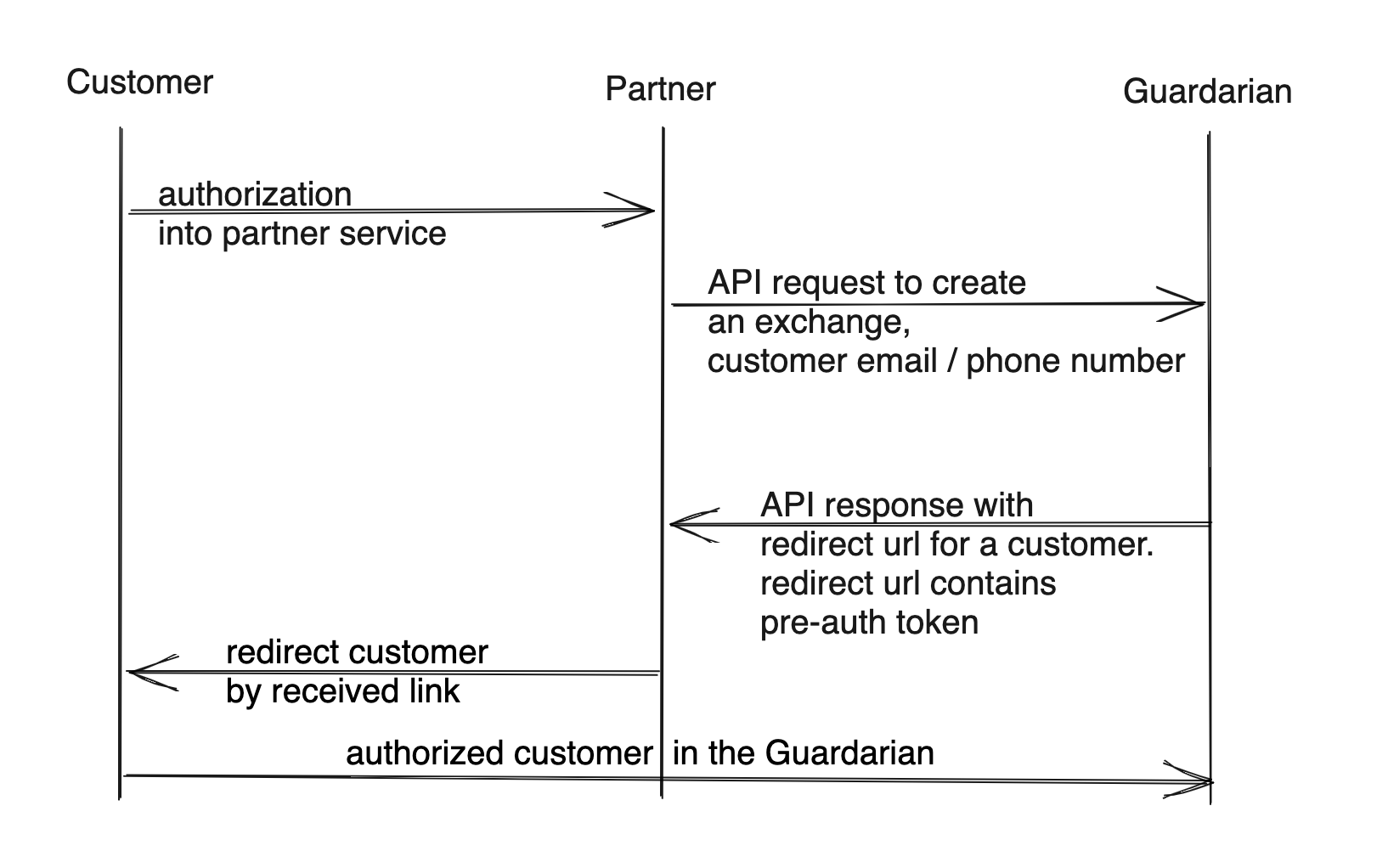
Integrating with Guardarian
Request
Pass the customer’s email when creating a transaction:
{
  "customer": {
    "contact_info": {
      "email": "[email protected]"
    }
  }
}
Example:
{
  "from_amount": 1200,
  "from_currency": "EUR",
  "to_currency": "BTC",
  "from_network": "EUR",
  "to_network": "BTC",
  "customer": {
    "contact_info": {
      "email": "[email protected]"
    }
  }
}
Response
The response includes an additional field:
{
  "preauth_token": "https://payments.guardarian.com/checkout?tid=4298466473&auth_token=1d7f52012db69717638817977b0edbc0eea04c91d0b3f74070b17b352132feea"
}
The response also includes a ready-made link for redirecting an authorized customer:
{
  "redirect_url": "https://payments.guardarian.com/checkout?tid=4298466473&auth_token=1d7f52012db69717638817977b0edbc0eea04c91d0b3f74070b17b352132feea"
}
Full API documentation can be found in API Reference.